Workflows and state
A Workrun workflow is more than connected nodes. It places each run’s inputs, node results, routing decisions, and human actions in one controlled state. State boundaries determine what a node can read, what it can hand to the next step, and how sensitive data is stored and displayed.
A workflow is a definition; a run is an instance
Section titled “A workflow is a definition; a run is an instance”A saved workflow definition contains canvas nodes, edges, run mode, input and output fields, and node configuration. It does not contain a particular task’s customer data, model response, or human decision.
When someone starts a run, submits a chat message, or a schedule fires, Workrun creates a run instance:
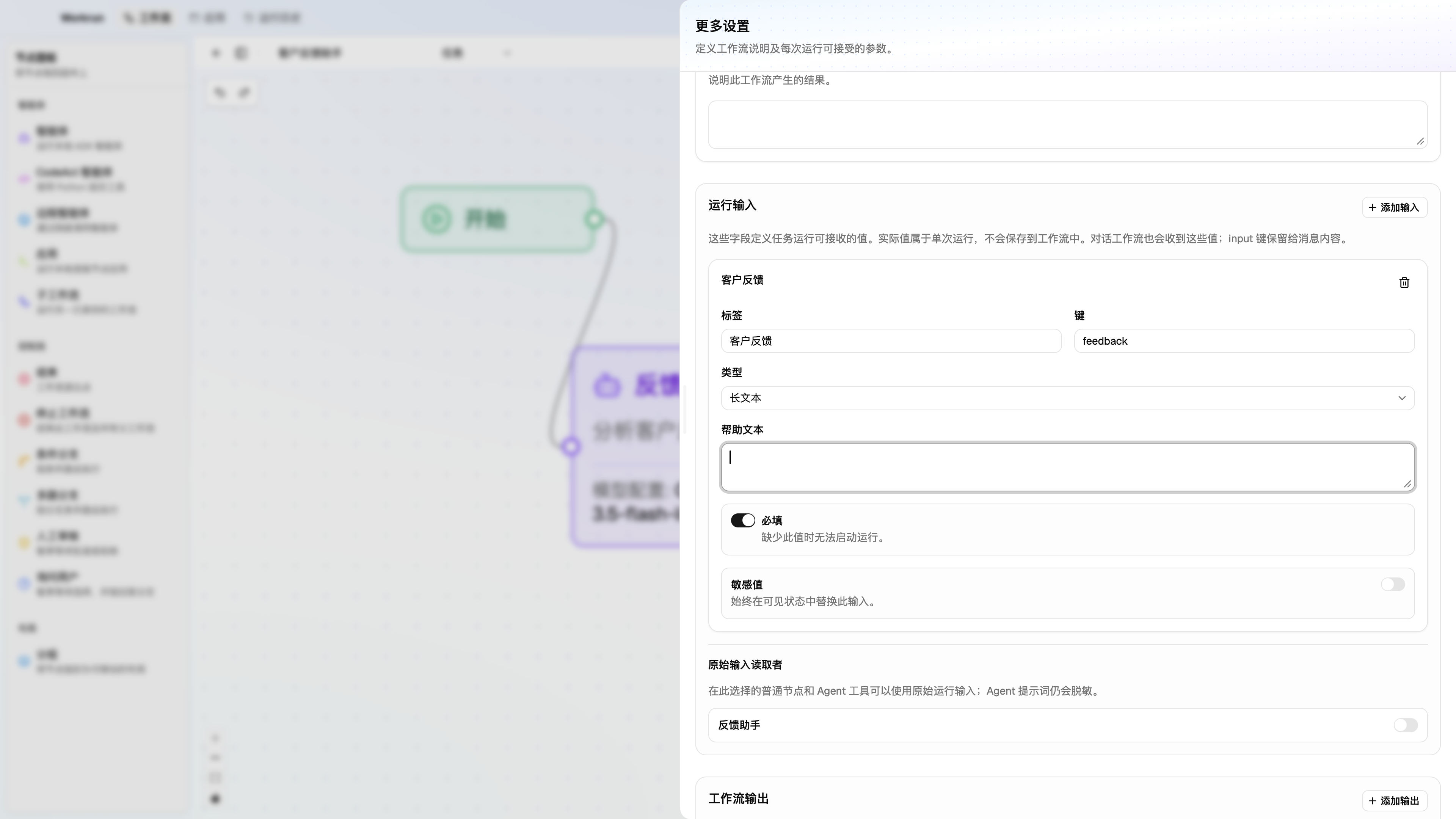
Workflow definition ├─ nodes, edges, instructions, models, and access rules └─ More settings: run inputs, outputs, and mode ↓One run ├─ this run's input → initial state ├─ node events, state updates, and tool results ├─ checkpoints while paused └─ final state and run historyAs a result, More settings → Run inputs defines the runtime form and field contract. Values entered into it belong to a run; they are never written back into the workflow definition. New workflows include one fixed Start node, but Start does not edit input fields.
Inputs, outputs, and run modes
Section titled “Inputs, outputs, and run modes”In More settings, a workflow can define six input types: string, multiline text, number, boolean, file, and files. Each has a user-facing label, a machine-facing key, help text, and a required flag. Keep keys clear and stable, such as feedback, customer_id, and dry_run. Changing a key can break Agent instructions, conditions, and downstream state references.
| Mode | Best for | Input behavior |
|---|---|---|
| Task | Independent, one-off automation such as routing feedback or executing an approval flow. | The run panel shows the defined run inputs. |
| Chat | Assistants or collaborative flows that need continuous multi-turn context. | input is reserved for the message body; other defined fields can still be submitted with a chat turn. |
Workflow output fields declare what a workflow delivers. An Agent can additionally define an output key or use JSON Schema to require structured model output. Naming fields that routing or downstream nodes depend on is more reliable than asking them to infer an answer from free text.
In chat mode, only top-level global fields explicitly selected under More settings → Session state are carried into the next turn. Sensitive fields, reserved keys, and nested paths cannot be session-state fields.
File inputs and artifacts
Section titled “File inputs and artifacts”Choose file (file) or files (files) under More settings → Run inputs and select files when starting a run. Task mode uses the run form; chat mode can submit file fields with a message.
Workrun copies selected files into immutable snapshots within the current workspace. State carries an ArtifactRef with $type: "artifact", an ID, version, filename, MIME type, and size. A file field contains one reference; a files field contains an array. References contain neither file bytes nor the original file path. Editing the original file does not change a saved snapshot. The current per-file limit is 512 MiB.
File references follow the ordinary State publishing and read permissions. Process nodes use the Python SDK to read supplied files and save new ones; see Use Python Apps. To send file contents to an Agent or Remote Agent, explicitly select accessible State paths in its attachment-path configuration. Putting a reference in a prompt alone does not transfer file contents, and the selected model must support the file type. CodeAct Agents find authorized virtual file paths through /artifacts/manifest.json and write deliverables under /outputs; Workrun collects those files as artifacts on successful completion.
Generated files enter State as references for authorized downstream nodes or workflow output mappings. Files in run results and human reviews can be exported. Images and videos support previews, and PDFs can be opened for viewing.
The three layers of state
Section titled “The three layers of state”Think of state in every run as three layers:
Initial input ↓Global state ───────────────→ visible values readable by all nodes and routing ↑ publishedPrivate node namespaces ←─── each node's outputs remain here by default- Initial input comes from the run panel, a chat turn, or a schedule and starts the run.
- A private node namespace holds a node’s ordinary outputs by default, preventing one step from accidentally overwriting another’s data.
- Global state receives values only when a node lists output keys in its state settings as published output keys. Those visible values can then be consumed by all nodes, conditions, and workflow outputs without an additional reader grant.
This model implements least privilege: publish a value only when a later step needs it; leave values used only for local processing or debugging in the node namespace. It prevents arbitrary nodes from silently rewriting the entire context and makes a global field traceable to its producer.
Read access, raw values, and sensitive fields
Section titled “Read access, raw values, and sensitive fields”Node state settings define access boundaries:
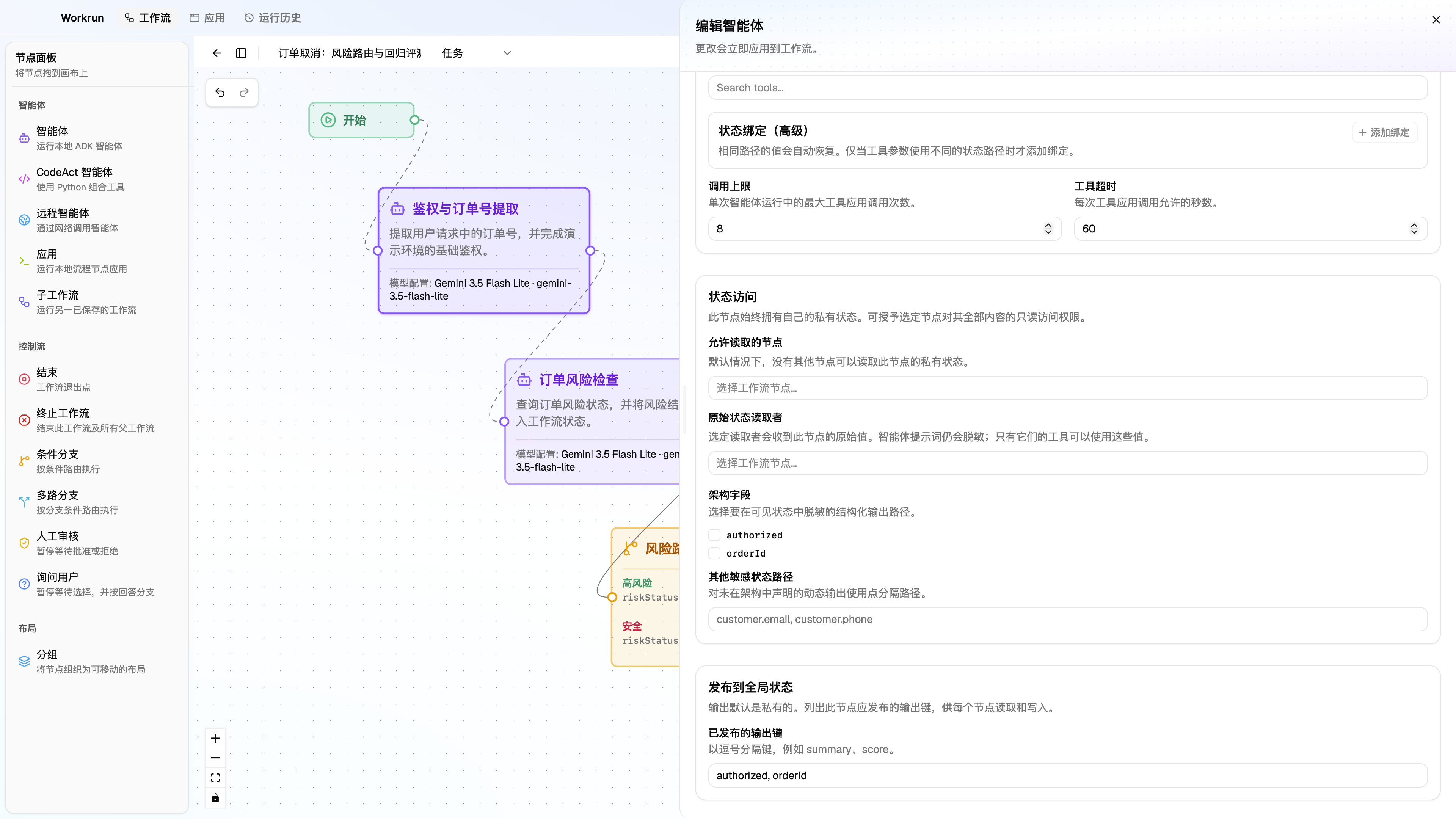
- Reader nodes (Allowed readers) are configured on the producing node and specify which other executable nodes may read its private output namespace. They do not limit access to published global values.
- Raw reader nodes are a subset of reader nodes allowed to receive original values from that namespace, including values it published globally. Agent prompts always receive redacted values; authorized raw values can be resolved for their tool calls.
- Sensitive fields mark fields or dot-separated paths in node output, such as
customer.emailorpayment.token. - Published output keys promote selected top-level outputs into global state.
Inputs can also be marked sensitive under More settings → Run inputs, and raw-input permission can be granted individually to nodes that need it. By default, models, tools, and the interface receive visible state rather than raw state: common PII and suspected credentials are redacted, and explicitly sensitive fields are replaced with a redaction placeholder. Raw state is encrypted in checkpoints.
This does not make untrusted code safe. Grant local Python Apps, MCP servers, and remote services only the data and permissions they need.
Design a readable flow with state
Section titled “Design a readable flow with state”Consider a customer-feedback routing flow:
Run inputfeedback, customer_id ↓Agent: produces category, priority, recommendation ↓ publishes category, priority, recommendationIf/Else: reads priority ├─ high → Human Review └─ low / medium → EndConfigure it in this order:
- Define
feedbackandcustomer_idin More settings, and mark only the values that truly need protection as sensitive. - Have the Agent produce
category,priority, andrecommendationwith structured output. - Publish only the keys needed for routing and the final result in the Agent’s state settings.
- Have If/Else read the published global
priority; no Allowed readers setting is needed. If another executable node needs private output instead, grant it access on the producing node. - Show the necessary context in Human Review and use its decision to control the next route.
The branch now depends on a stable priority field, not a variable phrase in an Agent response.
Pause, checkpoints, and resume
Section titled “Pause, checkpoints, and resume”Human Review and Ask User Question interrupt execution and write a local SQLite checkpoint. A checkpoint stores the position and state needed to resume:
Node completes → checkpoint written ↓Human Review / Ask User Question ↓Wait for a review result or selected option ↓Continue later nodes from the same checkpointA review node can let a reviewer approve or reject and, when configured, edit content. A question node writes the selected option to its own state key. Resuming does not re-execute completed nodes. Failed or stopped tasks do not continue from a checkpoint; fix the issue and use Run again to create a new task. Application-exit interruptions can separately recover after checkpoint and operation-journal validation.
Questions, human reviews, and tool confirmations appear as interactive cards in the corresponding node output. They leave other output and pages accessible. Pending interaction requests survive restart and can be opened from the Run Center. Tasks interrupted during execution remain available for recovery checks. See Human review and resume and Runs, debugging, and traces.
Subworkflows execute with parent workflow context and protect against recursive use: Workrun blocks cycles and limits nesting depth. Terminate explicitly ends the entire execution, rather than ending only one canvas path.
Validate and debug in the right order
Section titled “Validate and debug in the right order”Before saving or running, Workrun validates workflow structure, including a unique Start, valid edges, branch exits, subworkflow references, and input configuration. When a run fails, diagnose in this order:
- Input: Are required run inputs present, and do their keys and types match expectations?
- Node: Did the Agent select a model from a configured provider? Is the Process/App or MCP tool available?
- State: Was the key a downstream node needs published, and does that node have read access?
- Routing: Does a condition read the correct stable field, and does its edge lead from the right branch handle?
- Run record: In the run panel, inspect the exact node and event that failed, paused, or invoked a tool.
Next, read Build your first workflow to apply these principles with Python, conditions, and human review.